The best routers for a VPN
A VPN on the router covers every device at once, including TVs and consoles that can't run a VPN app.

A VPN router runs the VPN connection for your whole network, so smart TVs, consoles and guests are covered without installing apps. The GL.iNet Flint 2 is the best value, with fast WireGuard speeds. The Asus RT-BE88U adds Wi-Fi 7 and Asus's VPN Fusion, which lets you choose which devices use the VPN. First, check whether you need a VPN at home at all.
Some links on this page are affiliate links: We may earn a commission if you sign up or buy, at no cost to you. It never affects our rankings. For more information, see our Advertiser disclosure.
Black Friday 2026: Amazon, Best Buy and Walmart hadn't announced their Black Friday sale dates as of Oct 29. Black Friday is Nov 27, and Amazon's sale opened Nov 20 last year. Until sale prices go live, see our Black Friday deals hub.
The picks
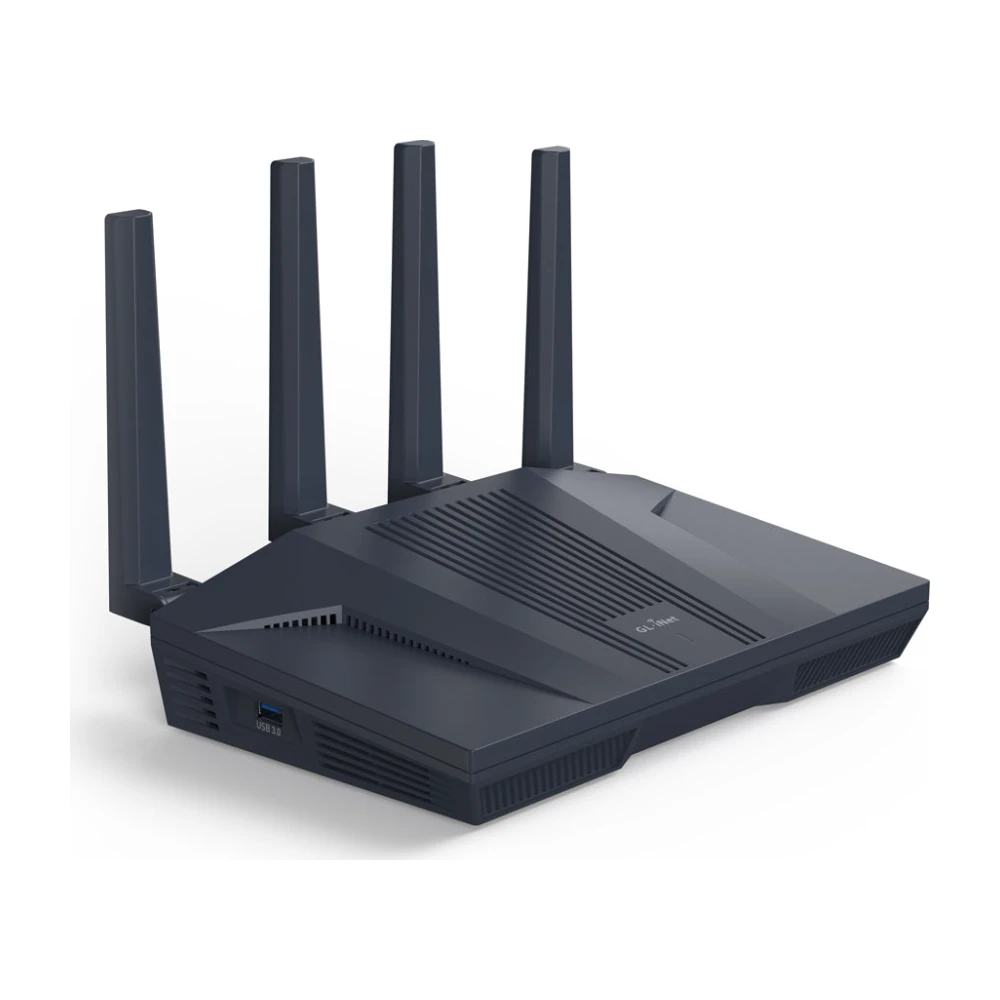
GL.iNet Flint 2 (GL-MT6000)
One of the fastest VPN routers for the price, with a simple VPN dashboard on top of open-source OpenWrt. Works with most VPN services' WireGuard configs.
Worth knowing: Wi-Fi 6 only; advanced menus assume networking knowledge.
Check price →Asus RT-BE88U
VPN Fusion lets some devices use the VPN while others connect directly, which avoids streaming and banking problems. Asus's free security tools are included.
Worth knowing: Expensive; VPN speed depends on the processor, not the Wi-Fi.
Check price →GL.iNet Beryl AX (GL-MT3000)
The same VPN software as the Flint 2 in a pocket size, so your home VPN setup goes with you. More in the best travel routers.
Worth knowing: Fewer ports and shorter range than a home router.
Check price →Our picks compared
Maker figures are measured under ideal conditions. Expect real speeds to be lower, especially when the VPN server is far away.
| GL.iNet Flint 2 | Asus RT-BE88U | GL.iNet Beryl AX | |
|---|---|---|---|
| Wi-Fi | Wi-Fi 6 | Wi-Fi 7 | Wi-Fi 6 |
| WireGuard speed (maker spec) | Up to about 900 Mbps | High; see Asus specs | Up to about 300 Mbps |
| VPN client and server | Yes | Yes, VPN Fusion | Yes |
| Ports | 2 x 2.5G, 4 x 1G | 10G, 2.5G, multiple 1G | 2.5G WAN, 1G LAN |
| Best for | Most homes | Multi-gig plans | Small homes and travel |
How a VPN router works
A VPN app protects one device. A VPN router runs the VPN connection itself, so every device on its network goes through the tunnel, including smart TVs, game consoles and streaming sticks that can't run a VPN app. You sign in to the VPN service once, on the router.
Most VPN routers let you choose which devices use the tunnel. That matters because some services, such as banking apps and some streaming apps, block VPN traffic. With policy routing, you can send a laptop through the VPN and leave the TV on your normal connection. GL.iNet and Asus routers both support this.
| VPN app on each device | VPN on the router | |
|---|---|---|
| Covers smart TVs and consoles | No | Yes |
| Counts against the VPN's device limit | Every device | One connection |
| Speed | Limited by each device | Limited by the router's processor |
| Turning it off for one device | Easy | Needs per-device rules |
How much speed you lose
Encryption costs processing power. On a good VPN router using WireGuard, expect a few hundred Mbps through the VPN; OpenVPN is usually much slower. If your plan is faster than the router's VPN throughput, the VPN becomes the bottleneck. Use split tunneling to keep gaming consoles and streaming TVs off the VPN when speed matters.
If your plan is faster than the router's VPN speed, use policy routing so only the devices that need the VPN use it.
- GL.iNet Flint 2: up to about 900 Mbps on WireGuard, enough for most gigabit plans.
- Asus RT-BE88U: strong WireGuard performance from its quad-core processor, with Asus's VPN Fusion for per-device routing.
- GL.iNet Beryl AX: a few hundred Mbps on WireGuard, fine for plans up to about 300 to 500 Mbps.
- Budget ISP-grade routers: often under 100 Mbps, even if they list VPN support.
WireGuard vs. OpenVPN
WireGuard is newer, simpler and much faster on routers. On the same hardware, it often runs three to five times faster than OpenVPN. GL.iNet's Flint 2 is rated for roughly 900 Mbps over WireGuard and well under half that over OpenVPN. If your VPN service supports WireGuard, use it.
OpenVPN is still useful when a service doesn't offer WireGuard configs for routers, or when a network blocks unusual traffic. Some services publish their own WireGuard-based protocols (NordLynx at NordVPN, for example). Those work on routers only if the service provides a router config file or the router supports the service directly.
Which VPN services work best on routers
Most large VPN services allow manual router setups, but not all make it easy. Look for a service that provides WireGuard config files, lets you pick a server per file, and doesn't limit router connections. Proton VPN, Mullvad, Surfshark and NordVPN all document router setup, and PureVPN publishes router guides too. ExpressVPN has its own router firmware and sells routers preloaded with its app.
A paid VPN costs roughly $3 to $13 a month depending on the plan length. Free VPNs usually block router setups or cap speed. Check the service's current router support page before you buy, since protocols and supported models change.
Setting up a VPN router
You can use a VPN router as your main router, or add it behind your ISP's gateway. The second option is easier and lets you keep the gateway's Wi-Fi as a non-VPN network for devices that don't like VPNs.
- Sign in to your VPN service's website and download a WireGuard config file for routers, or note your manual setup details.
- Connect the VPN router's WAN port to a LAN port on your gateway or modem.
- Open the router's admin page, go to the VPN client section and upload the config file.
- Turn on the VPN and run a speed test to check the speed you get through the tunnel.
- Set up a kill switch, so devices lose internet instead of leaking traffic if the VPN drops.
- Add per-device rules for anything that should bypass the VPN.
Running a VPN server at home
A VPN router can also run a VPN server, which is the reverse: it lets you connect to your home network while you're away. That's useful for reaching a NAS, a security camera system or home streaming while traveling, without opening ports. GL.iNet, Asus and many TP-Link routers include a WireGuard or OpenVPN server.
Your home connection needs a public IP address for this to work directly. Many 5G home internet and some fiber providers use carrier-grade NAT, which blocks incoming connections. In that case, use a service like Tailscale, which works through NAT, or GL.iNet's built-in remote access options.
Kill switch and DNS leaks
A kill switch blocks internet access for devices on the VPN if the tunnel drops, so they don't fall back to your normal connection without you noticing. GL.iNet and Asus routers include one; turn it on in the VPN settings.
DNS leaks happen when devices still look up website addresses through your ISP while their traffic goes through the VPN. Most VPN router setups send DNS through the tunnel automatically. To check, visit a DNS leak test site from a device on the VPN; it should show your VPN provider's servers, not your ISP's. If it doesn't, set the router's DNS to the VPN's servers.
When a VPN router causes problems
Streaming services detect many VPN servers and may show a proxy error or a reduced catalog. If a TV app stops working after you set up a VPN router, add the TV to the router's bypass list so it uses your normal connection. Many households keep streaming devices off the VPN and send only laptops and phones through it.
Sports streaming is a common reason people try VPNs, but blackout rules are part of each service's terms. Our NFL without cable guide covers legal options in the US.
- Streaming apps may block VPN servers; use split tunneling for your TV.
- Banks may flag logins from VPN locations.
- On T-Mobile Home Internet and other gateways with no bridge mode, the VPN router runs behind the gateway, which works fine.
Questions
Is a VPN router worth it?
If you want TVs, consoles or guests covered, yes. If you only use a VPN on a laptop, an app is simpler.
Does a VPN router slow down internet?
Yes, by how much depends on the router's processor and the VPN protocol. WireGuard is much faster than OpenVPN.
Can I use a VPN on my ISP's gateway?
Usually not. Most provider gateways don't support VPN clients, so you add your own router behind it.
Is it legal to use a VPN router?
Yes, in the US and most countries. Using a VPN to break a service's terms, such as streaming content from another region, can get an account flagged, but it isn't a crime in the US.
Can I put a VPN on my eero or Google Nest Wifi?
No. eero and Nest Wifi don't support VPN clients. Add a VPN router behind them, or use VPN apps on each device.
- Maker product pages, specifications and support documents, checked Oct 29, 2026
- Published reviews and lab tests from independent outlets, noted in the text where used
Our picks are based on specs, maker documentation and published lab tests, noted where used.
Prices and offers change often; confirm at your address before you order. How we research
Jean founded ShopHighSpeed after trying to find one straight answer about business internet in his own town. He has been a Comcast and Verizon Fios customer, and ranks providers on what they actually deliver, not on what they advertise.