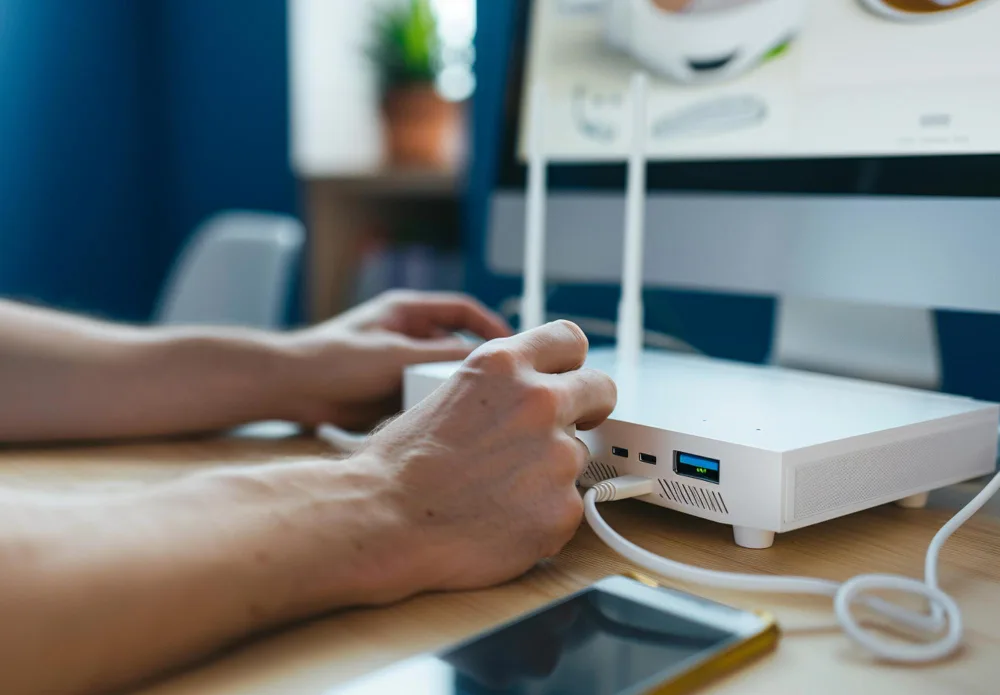
Business internet failover services: options, prices and setup
When your primary line goes down, failover keeps you trading. Here's how to build a backup connection that takes over automatically.

Failover is a second internet connection — usually 5G or LTE — that automatically takes over when your primary line drops, so payments, phones and cloud apps keep working. A business-grade router or SD-WAN device handles the switch in seconds. It's cheap insurance for any business that loses money when it's offline.
Need backup at home instead? See the best backup internet for home.
- Starlink Business now sells a 50 GB Local Priority plan for $55/mo, a cheap backup line.
- Comcast Business Wireless Connect cellular backup is $35/mo.
- AT&T Business Fiber includes built-in 5G backup.
Business failover services compared (Oct 2026)
Why failover matters
Even the best single connection goes down sometimes — a cut line, a provider outage, a neighborhood fault, a construction crew through a conduit. For a business, those minutes stop card processing, VoIP phones, cloud point-of-sale, and everything else that now lives online. A backup connection on a different network turns an outage into a non-event customers never notice.
The economics make the case on their own. Do the math on what an hour of downtime actually costs you — lost sales, idle staff, missed calls, the customer who walks out because the card reader is dead — and a failover line usually pays for itself the first time it kicks in. For most small businesses it's a few tens of dollars a month against a risk measured in hundreds or thousands per outage. A UPS for your modem and router keeps the network up through short power cuts.
How failover works
You pair your primary line (fiber or cable) with a second connection on an independent network — most often 5G or LTE fixed wireless, since it doesn't share the same physical infrastructure that failed. A business router or SD-WAN appliance continuously monitors the primary link and, the moment it fails, routes traffic over the backup automatically, then switches back when the main line returns. Done right, the cutover takes seconds and staff barely notice, because the router is watching the connection far more closely than a person would.
Choosing a backup that's actually independent
The whole point of failover is diversity — if the backup shares a weakness with the primary, it'll fail at the same moment. Keep these principles in mind:
- →Different medium. If your primary is wired, use 5G/LTE wireless so a cut cable doesn't take both down.
- →Different provider and network. Two lines from the same carrier can share an outage upstream.
- →No-contract, standby pricing. A T-Mobile or Verizon business 5G plan is ideal: T-Mobile Small Business Internet Backup is $20/mo with AutoPay, and Starlink Business Local Priority 50 GB is $55/mo with a public IP. You're paying mostly for capacity you hope to rarely use.
- →Check what your primary already includes. AT&T Business Fiber has built-in 5G backup, Spectrum Business's Invincible WiFi adds 5G backup (included on 2 Gig), Comcast Business sells Wireless Connect for $35/mo more, and Frontier offers Internet Backup.
- →Enough backup capacity to run your critical systems — payments, phones, POS — even if it can't match your primary's full speed.
Setting it up and testing
Once you've chosen a backup on a different medium than your primary, you need a router that supports dual-WAN failover (or an SD-WAN appliance for multi-site businesses). Plug both lines in, configure the primary and backup roles, and — critically — test it by unplugging the primary to confirm the cutover is fast and clean.
Testing is the step most businesses skip and later regret. A failover setup that was never tested has a way of not working during the one outage it was bought for. Run a test after install, then again a couple of times a year, and confirm your most important systems — card processing above all — actually keep working on the backup line.
Failover checklist
- Put the backup on a different network from your main line: cellular or satellite behind cable or fiber.
- Use a router with automatic failover (dual-WAN) so you don't have to swap cables.
- Plug the modem, router and backup gateway into a UPS so they stay on in a power cut. See backup internet for home for small-office setups too.
- Test it monthly: unplug the main line and run a card payment.
Setting it up yourself? See how to set up automatic failover (multi-WAN) and do you need a UPS for your modem?.
Want the backup and the guarantee from one provider? T-Mobile SuperBroadband pairs 5G with Starlink in one service and includes a 99.99% uptime guarantee, paid as a 20% bill credit. It needs both networks at your address, is priced by quote and may require a contract. Two separate providers, one wired and one wireless, still give you more independence if either company has a wider outage.
Who needs it most
Any business where downtime directly stops revenue or service should treat failover as essential, not optional: retail and restaurants taking payments, clinics running telehealth and EHRs, call centers, and anyone hosting their own systems. If your worst-case outage is a slow afternoon of email, you can probably skip it. If it's a line of customers unable to pay, it's the cheapest insurance you'll buy. See how it fits specific industries in our guides for retail, healthcare, and hospitality.
Sizing the primary connection first? See the best business internet for a small office.
Outside the big metro areas, a wireless business line is often the fastest way to get online, or to keep a backup running when the main line drops.
Questions
What are business internet failover services?
A second internet connection, usually 5G, LTE or satellite, that takes over automatically when your main line drops. T-Mobile, Comcast Business, Spectrum Business, AT&T and Starlink all sell one.
How fast does failover switch over?
With a dual-WAN or SD-WAN router it usually takes a few seconds. Calls in progress may drop, but card payments and cloud apps keep working on the backup line.
Do I need a special router for failover?
Yes. You need a router with dual-WAN failover, or an SD-WAN device for several locations. Some providers' backup kits include one.
What is the cheapest business backup internet?
T-Mobile Small Business Internet Backup is $20/mo with AutoPay, gateway included, with 130 GB a month and a $35 device charge at sign-up.
Does AT&T Business Fiber include backup internet?
Yes. AT&T lists built-in 5G backup on Business Fiber.
- Plan pages and Broadband Facts labels from T-Mobile Business Internet, Comcast Business, Spectrum Business, AT&T Business Fiber, Starlink Business, Spectrum, checked Oct 2026
- Company press releases and regulatory filings on the ownership changes mentioned
Prices and offers change often; confirm at your address before you order. How we research
Jean founded ShopHighSpeed after trying to find one straight answer about business internet in his own town. He has been a Comcast and Verizon Fios customer, and ranks providers on what they actually deliver, not on what they advertise.